
Cognate App Design
I was hired to design a language-learning app. My client and I worked together to come up with wireframes. Then I created the logo, style, and mockups of the app layout. I also assisted with the CSS during the app build.

The Cognate app allows users to search for a word in a Romance language and easily compare it to its cognate (a word that is related to another word in a different language) in English, French, Spanish, Italian, and Portuguese. Once a word has been selected, the user can adjust which languages are displayed in the results using the toggles at the top of the page. Favorite words can be saved and referred back to on the favorites page tied to the user’s account.
User Journey
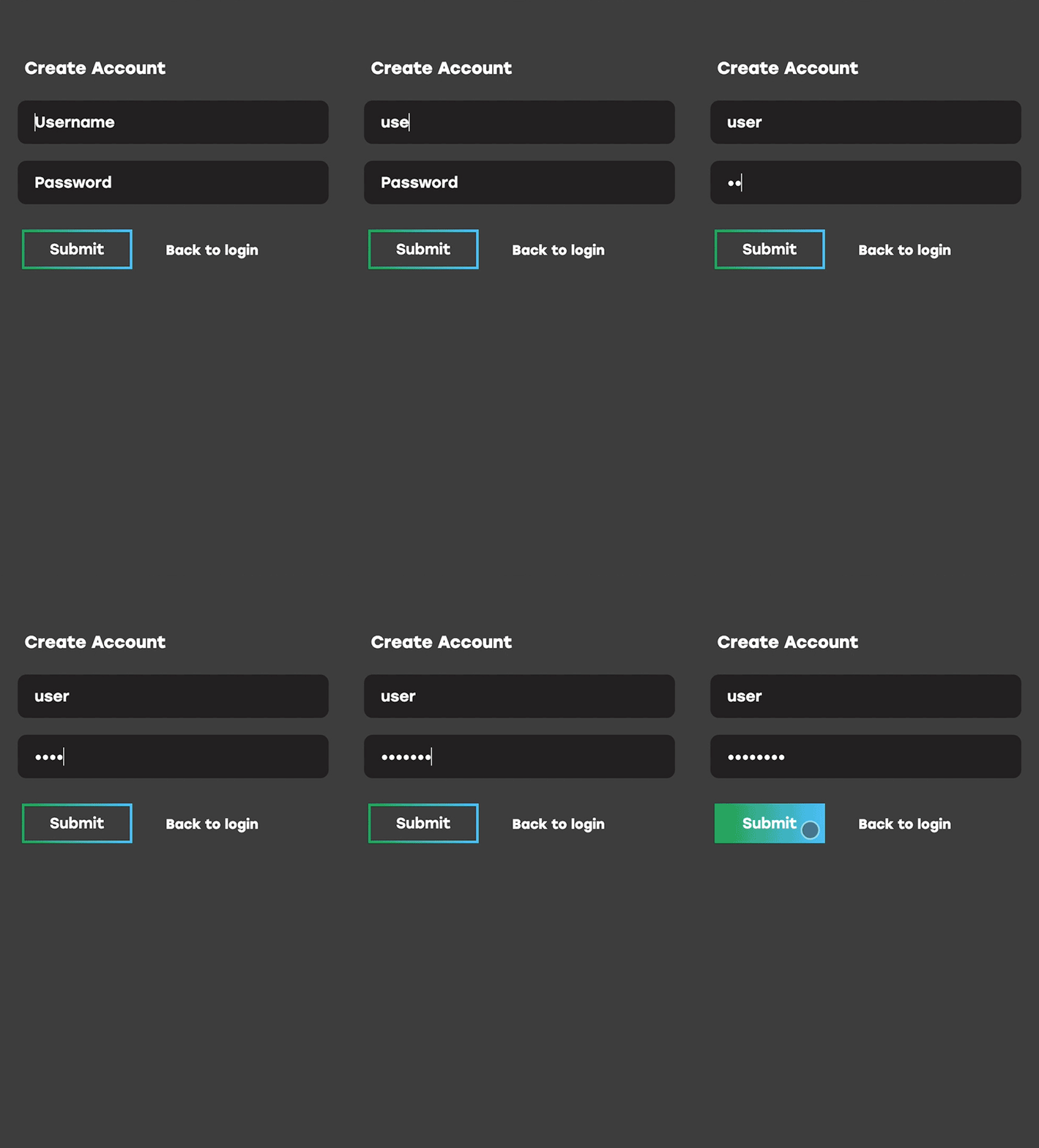
Log In
Users are first brought to a page where they can create an account or log in. There is a function that allows users to save their favorite words to a list associated with their account.
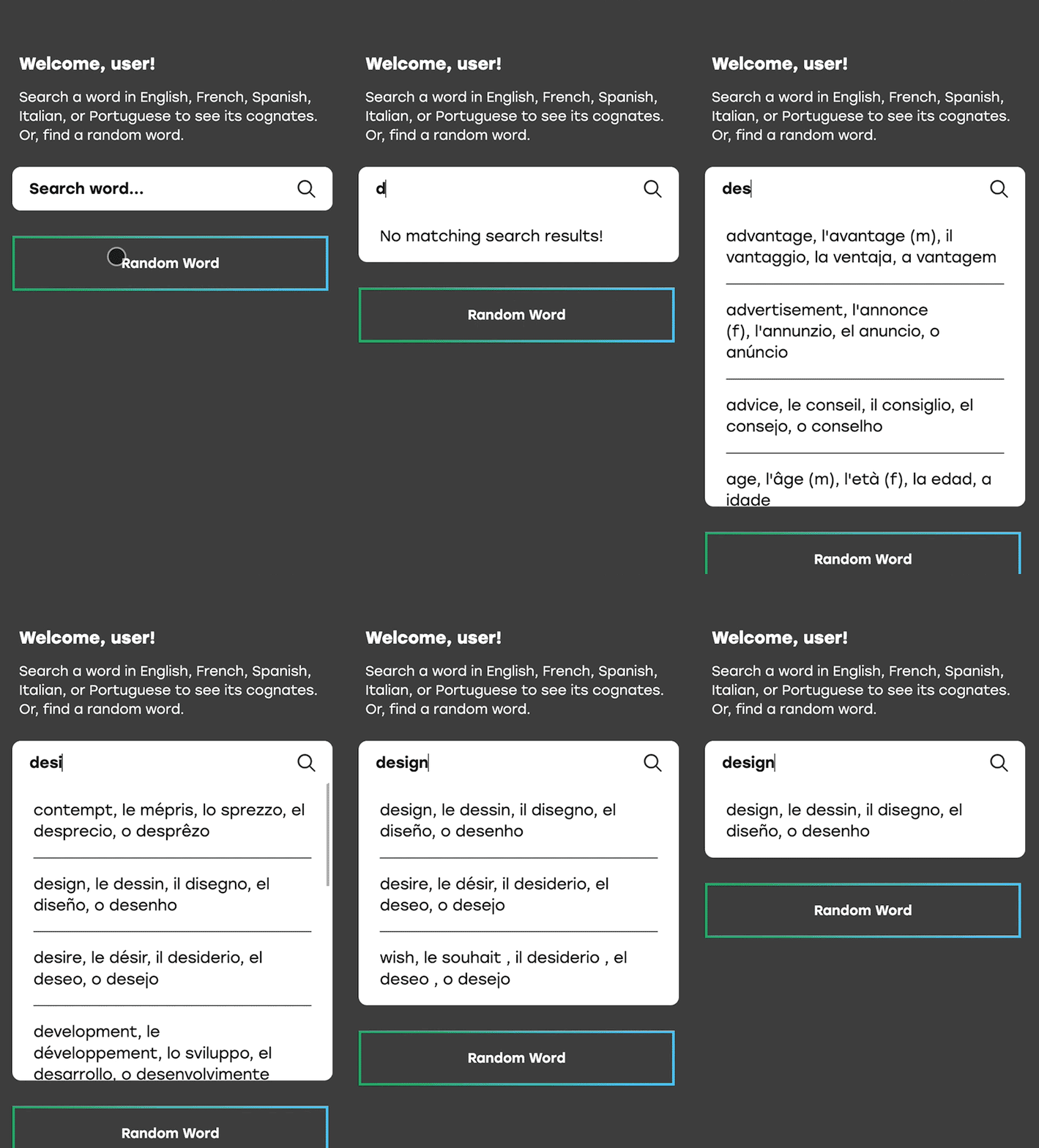
Home Page
Then users are taken to a home page to search for a specific word they want to see cognates for in English, French, Spanish, Italian, and/or Portuguese. The word can be searched for in any of the mentioned Romance languages. The search bar expands to show available words matching the search parameters and can be clicked to learn more. Or users can click the “Random Word” button to see a random new word.
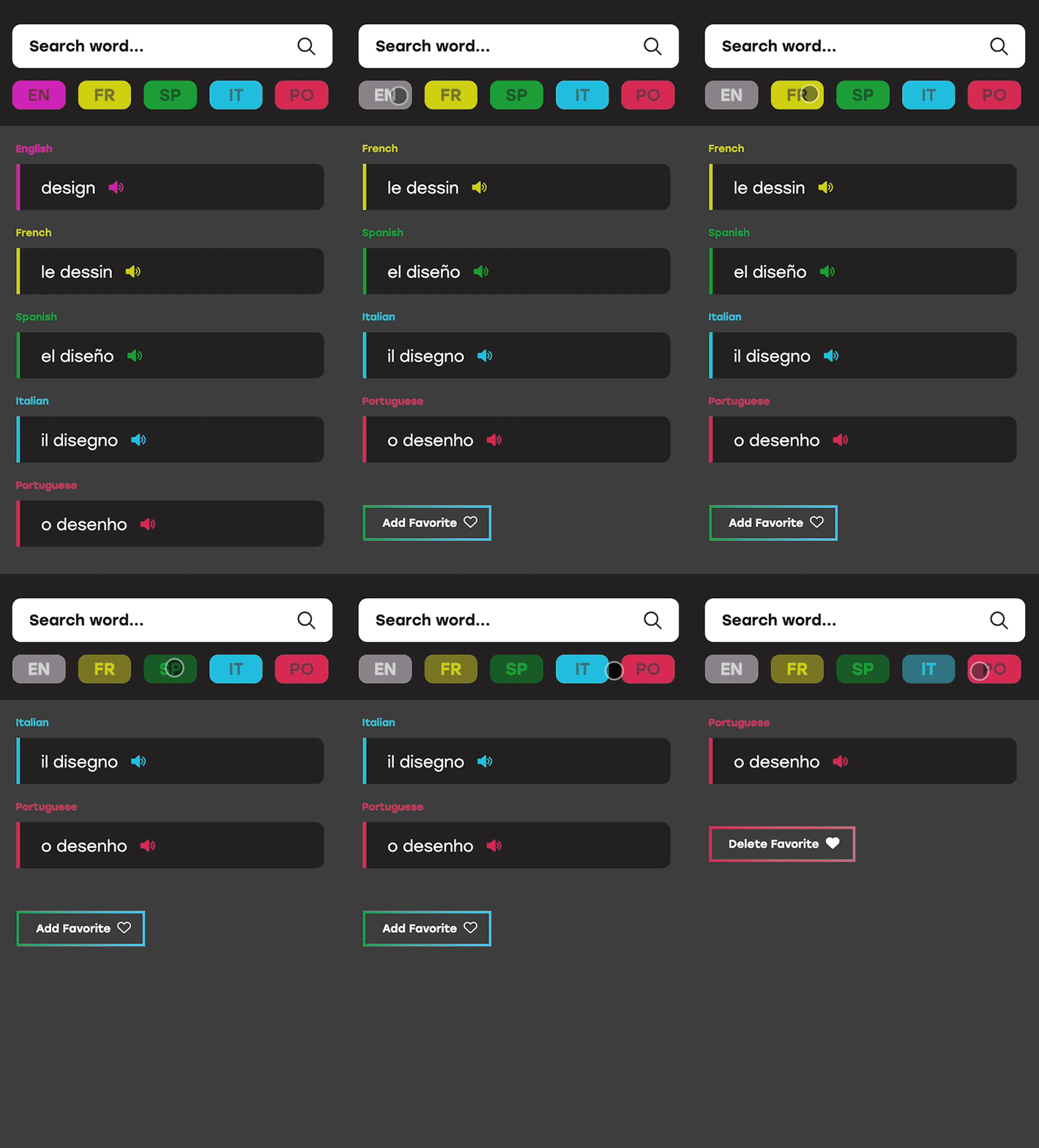
Results Page
After the user selects a word from the search list they are taken to a results page that displays the word in each language. The user is able to toggle on and off each language depending on what they are looking for. They can also add the word to favorites list.
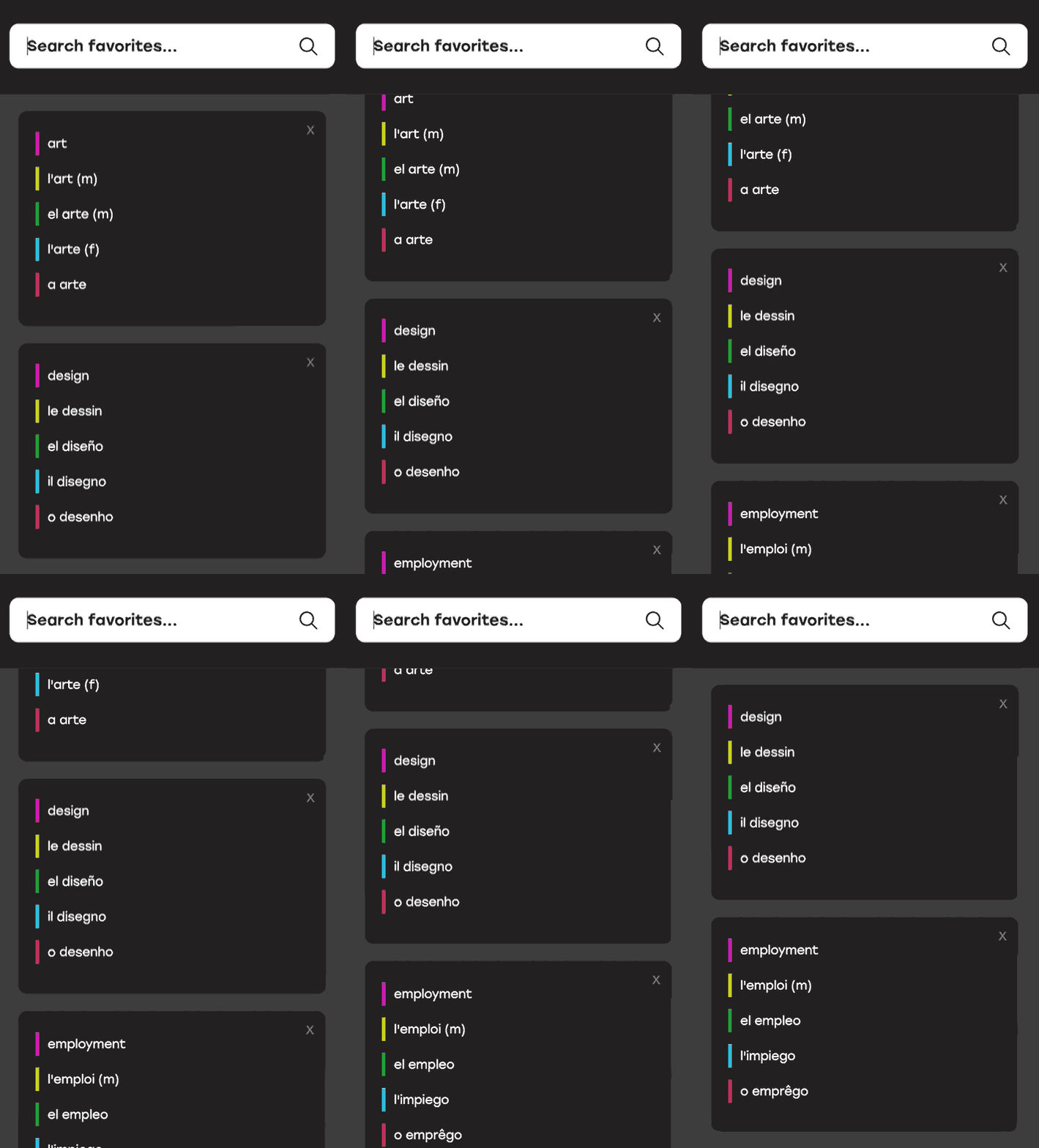
Favorites Page
By tapping the heart icon in the navigation menu, the user is taken to a page that lists all the words they have saved as favorites. This list can be edited by removing words or searching for new ones to add to the list. A truncated view of each saved word is visible and the user can click on it to be taken to the full results page for each word.